

Fire TV Stick has been quite popular for streaming online content. However, several Fire TV users find it very challenging to Pair and unpair the FireStick remote. If you are looking for how to unpair a Firestick remote, you are at the right place. By the end of this article, you can pair and unpair Fire TV remote in no time and will be able to enjoy your favorite shows without any complications.
To unpair Fire Tv remote, Hold them for 12 seconds. After releasing the button, waits for 5 seconds. Remove the batteries from the remote, plug in your Fire TV, and wait until it appears the remote can’t be detected on the screen.
Contents
- 1 Unpair Fire TV Remote -Illustration
- 2 Pairing Fire TV Remote: Problems
- 3 Unpair Fire TV Remote:
- 4 FAQS
- 4.1 How do I unpair my Fire TV remote?
- 4.2 Can I unpair my Fire TV remote from the remote itself?
- 4.3 Will unpairing my Fire TV remote delete any settings or preferences?
- 4.4 What should I do if my Fire TV remote is not working correctly?
- 4.5 Can I use multiple Fire TV remotes with one Fire TV device?
- 4.6 Will unpairing my Fire TV remote affect other paired devices?
- 5 Conclusion
Unpair Fire TV Remote -Illustration
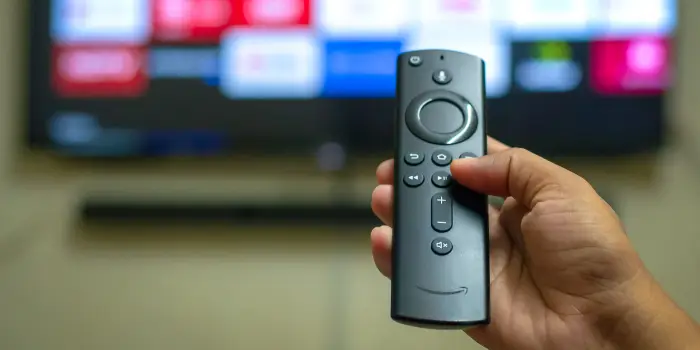
Look at a brief illustration before you learn to unpair a fire stick remote.
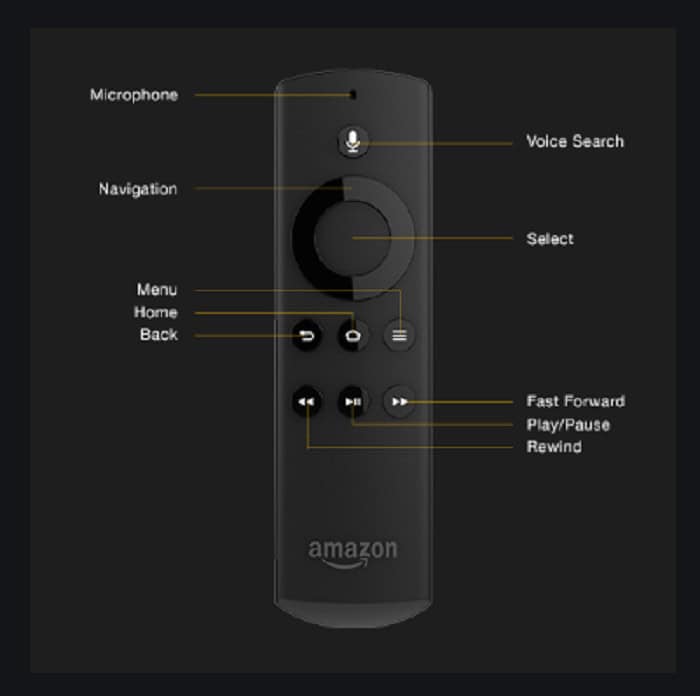
- Power
- Microphone
- Voice button
- Navigation
- Select
- Home
- Back
- Menu
- Rewind
- Play/ Pause
- Fast forward
- Volume
- Mute
See also: 8 Ideal Video Sharing Apps.
Pairing Fire TV Remote: Problems
Let us look at some scenarios one faces while pairing the Fire tv remote while pairing
- the remote for the first time(Firestick startup).
- a Replacement or additional remote.
- Game controllers.
- App-based remotes.
Pairing For The First Time(Firestick Startup)
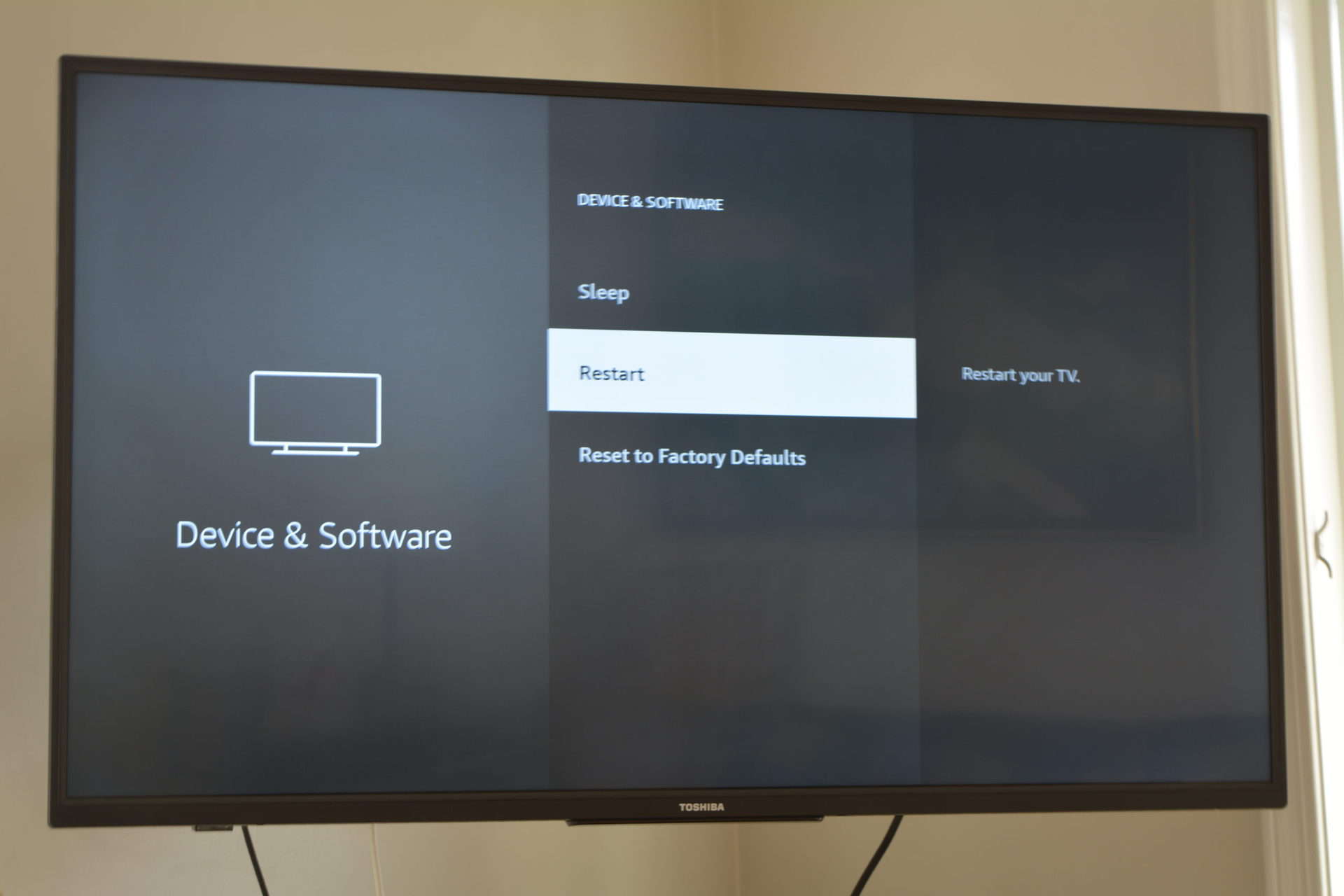
Fire TV sticks are incredibly easy to set up; for the first time, when the TV boots itself, ensure it has an active internet connection and starts streaming; the TV remote will automatically Pair itself. However, in some cases, it does not exist in such cases. Therefore, one must pair it manually by the steps below.
- Restart your Fire TV and make sure the remote has a new AAA battery provided in the box
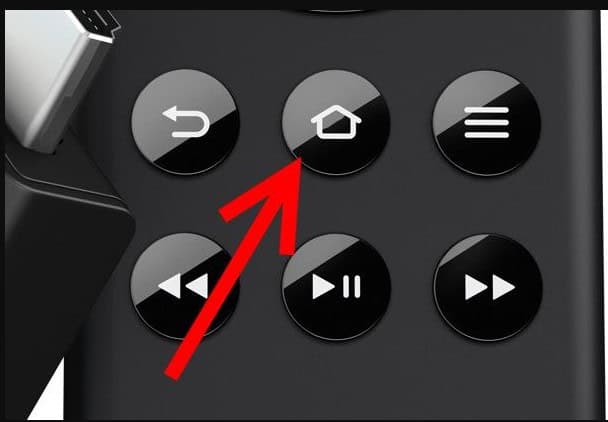
- Press and hold the Home button for about ten seconds while the Tv initiates a startup. This will get you into pairing mode, and the LED light on the remote will start blinking.
- The home screen appears, which means the remote is successfully paired.
Pairing A Replacement Or Additional Remote
A fire TV remote is not limited to only one. You can pair six additional remotes. This is often useful when your remote is not working or lost. Now let us have a glimpse of how to pair additional remotes.
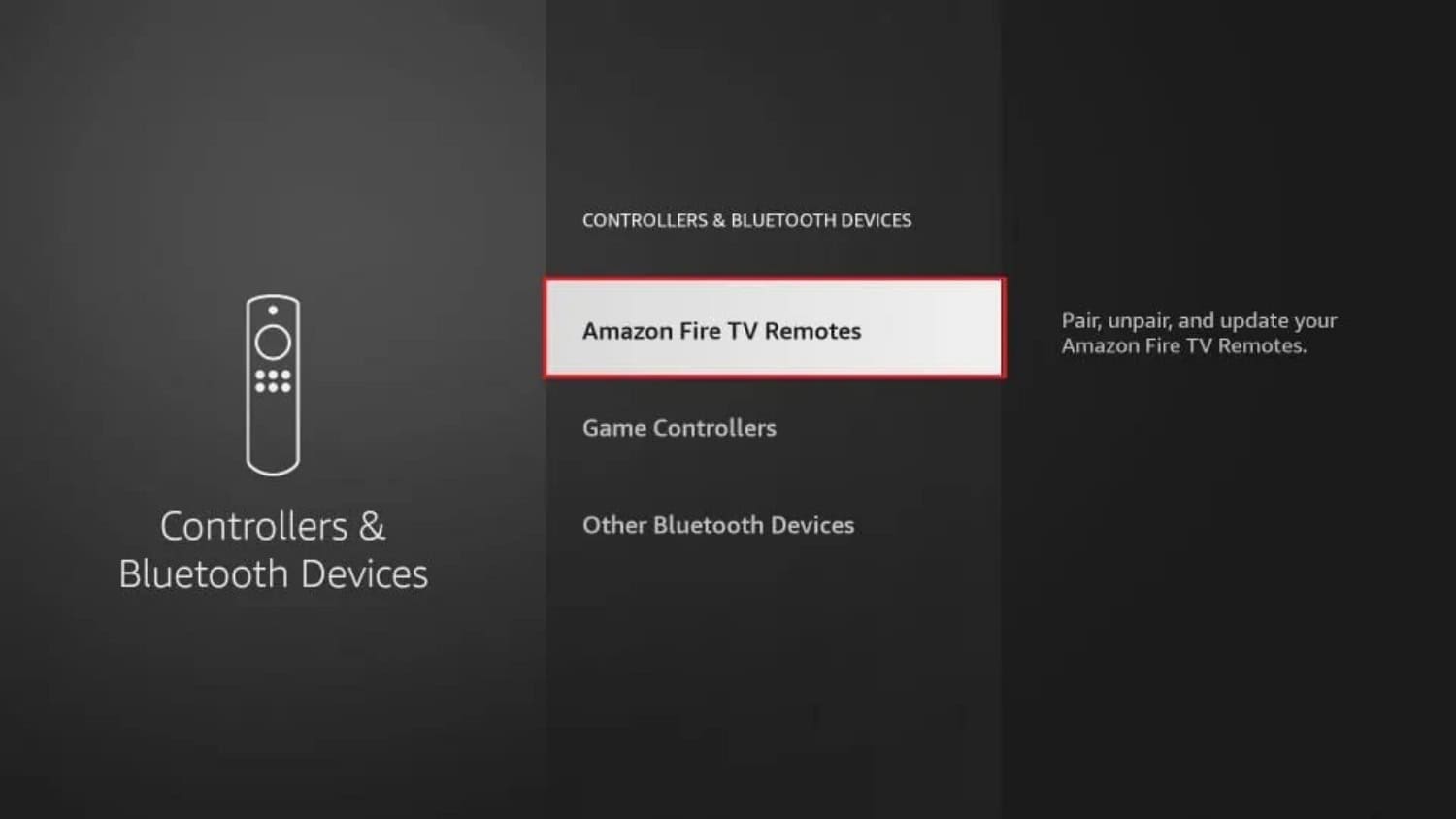
- Open the “Home” > Settings> Controller & Bluetooth Devices> Amazon Fire TV Remotes> Add new remote> Press the Home key on your “New or Replacement” remote for about ten seconds.
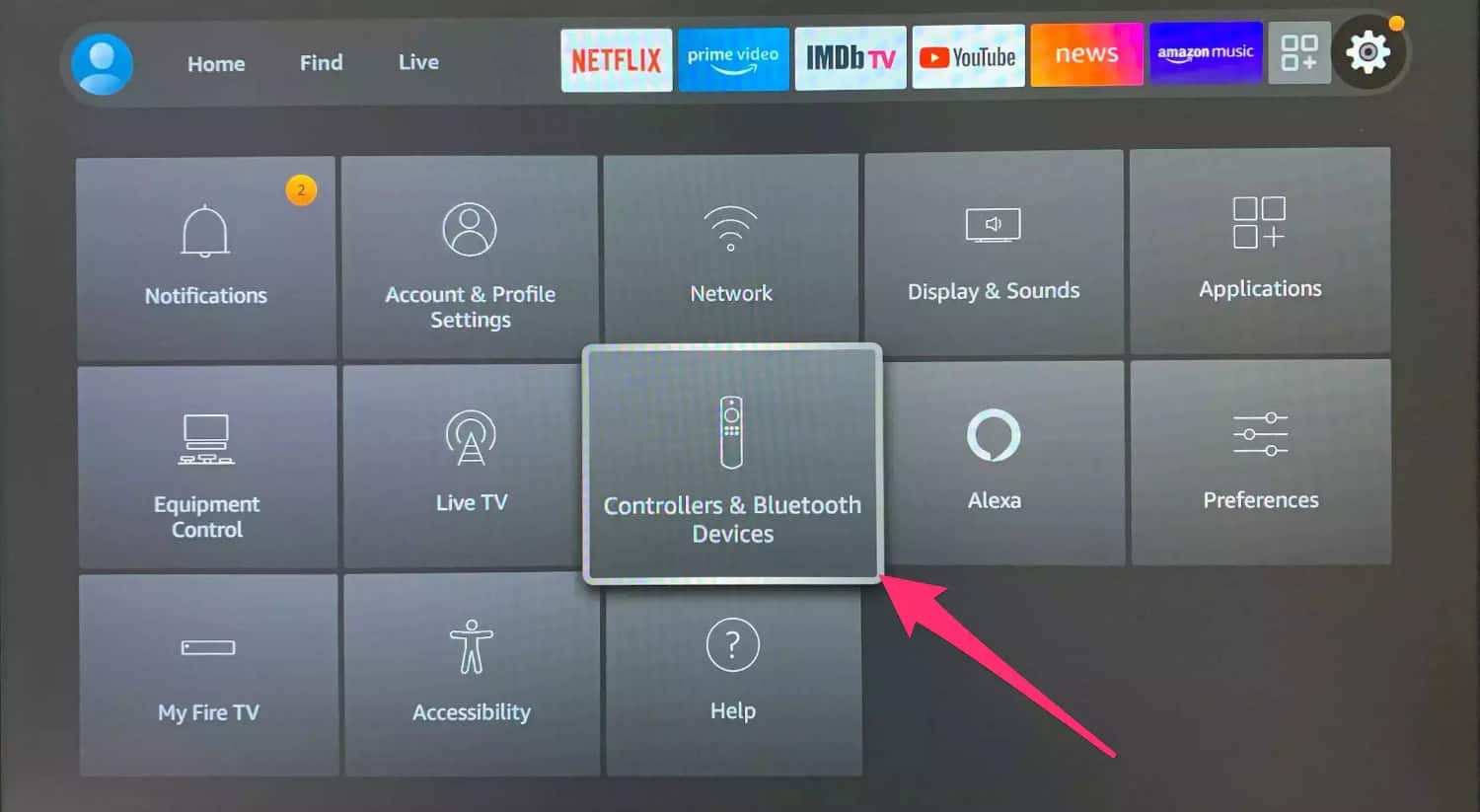
- Once the new remote Gets Discovered by the Fire TV, it will appear in the list. The pairing will be completed when confirmed from the old remote in case of pairing an additional remote. After Successful Pairing, the TV remote will appear in the “Fire Tv Remotes drop-down list.”
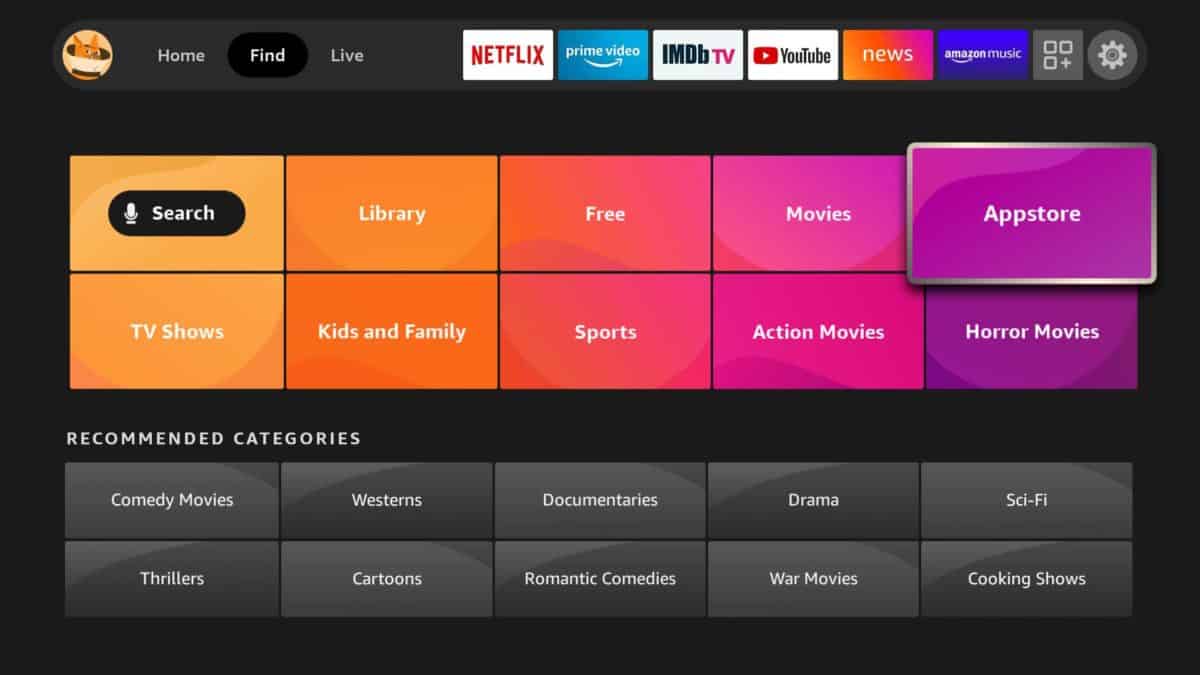
See also: Download third-party apps to your TV
Pairing Game Controllers
Home> Settings > Controller & Bluetooth Devices> Other BlueTooth Devices> Add BlueTooth Devices. Make sure the device you are trying to pair is Discoverable via Bluetooth. Choose the device when it’s discoverable; it will start pairing automatically. 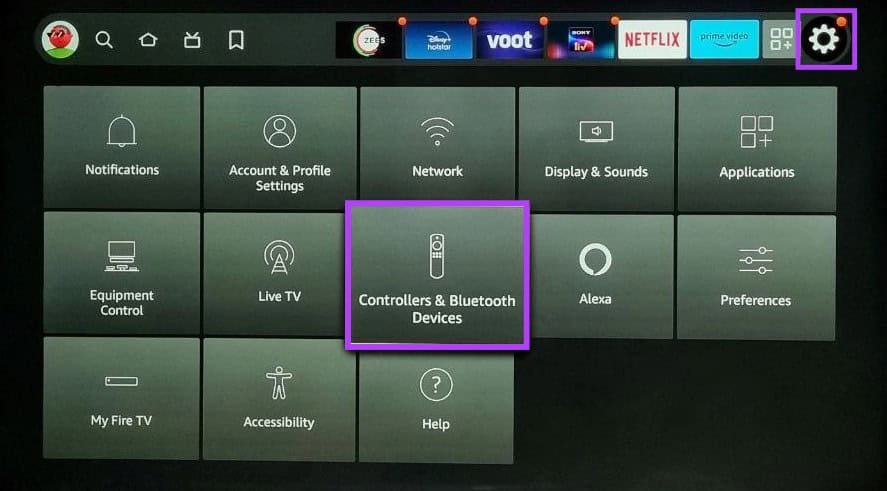
Pairing App-Based Remotes
- Download and install The Fire TV app on the device from which you want to control the Fire TV (App Available on the Google play store or apple app store ). Open the Application once installed.
- Sign in using the Proper username and Password of Amazon.
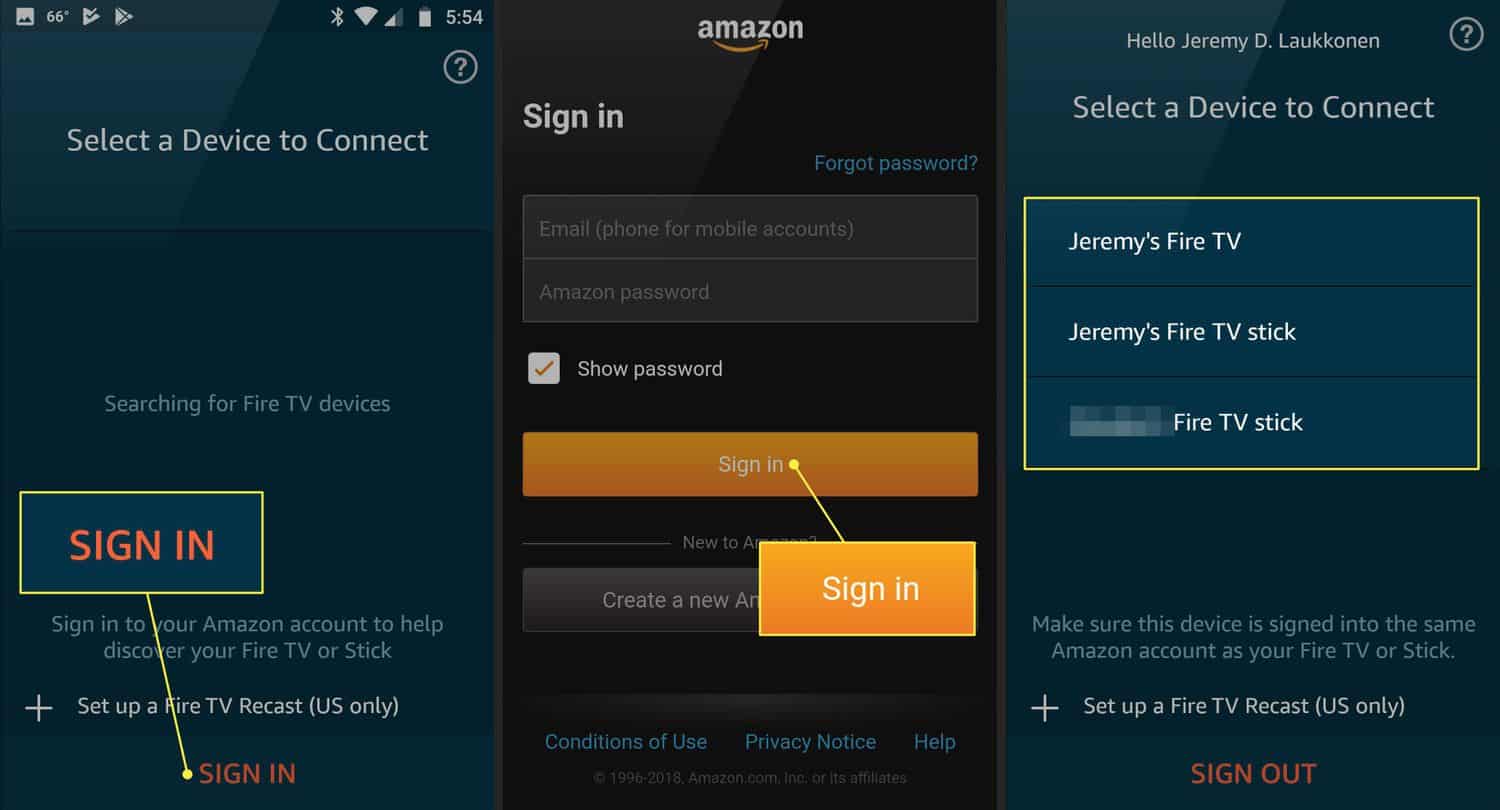
- Look for a notification of a four-digit pin displayed on Fire TV and enter it on the smartphone
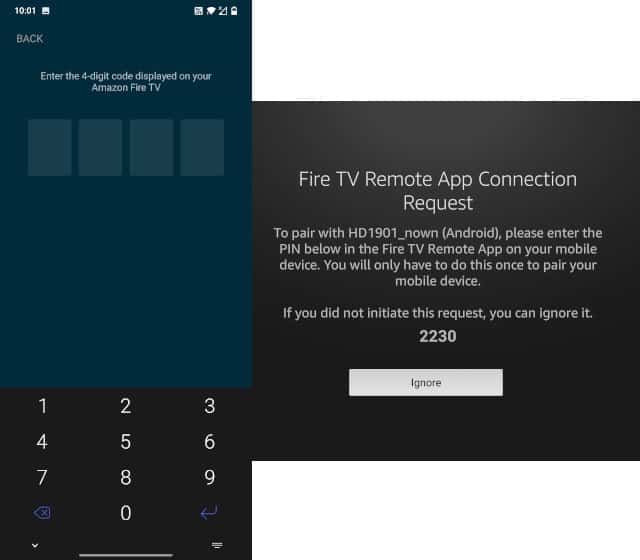
- Now you can start using your Android or IOS device as a TV remote Via the Fire TV application
Unpair Fire TV Remote:
Let us look at the scenarios when one wants to unpair an amazon fire tv remote while unpairing
- the only remote you are using with the current Fire TV device.
- Multiple Remotes you are using with the current Fire TV device.
- Paired Remote Apps with the current Fire TV device.
Unpairing The Only Remote You Are Using With The Existing Device
Warning: If one uses only a single remote and you wish to unpair it, you will no longer control the Fire TV unless the remote is paired to the TV again.
- The Fire Tv remote can not be unpaired while the TV is on, so turn off the TV first.
- Pair the existing remote with any other Fire TV using the steps mentioned above to unpair Fire TV remote paired with the previous Fire TV.
Unpairing Multiple Remotes, You Are Using With The Existing Device
If you are using Multiple remotes with your Fire TV and you want to unpair the rest of the paired remotes, follow these steps
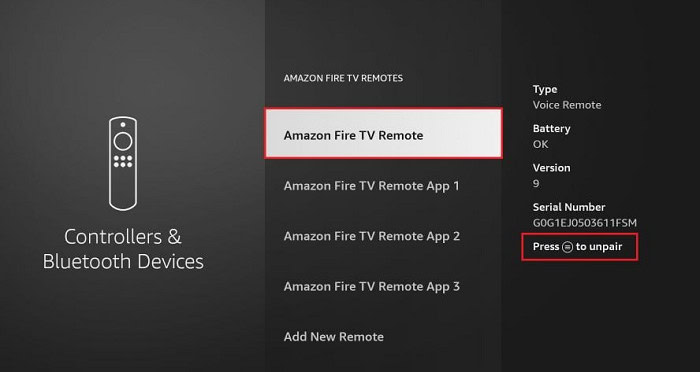
- Go to Home > Settings> Controller & BlueTooth devices> Amazon Fire TV Remotes> Navigate to the remote you wish to unpair> press SELECT to confirm unpairing.
Unpairing Paired Remote Apps
This is quite strange when it comes to unpair Firestick remote. You can not simply unpair a remote-paired app once you pair it with the TV.
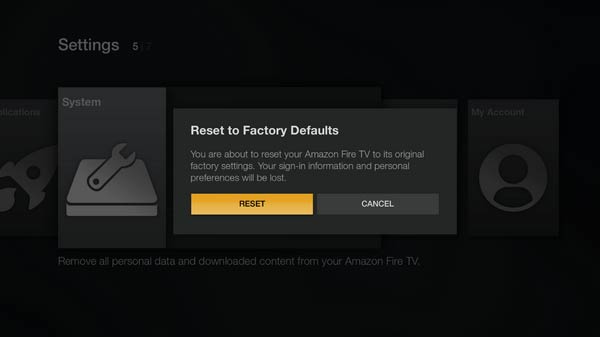
The only way to do this is to factory reset the Fire TV.
FAQS
How do I unpair my Fire TV remote?
To unpair your Fire TV remote, go to Settings > Controllers and Bluetooth Devices > Amazon Fire TV Remotes > Select the remote you want to unpair > Unpair.
Can I unpair my Fire TV remote from the remote itself?
No, you cannot unpair your Fire TV remote from the remote itself. You need to go to the settings menu on your Fire TV device.
Will unpairing my Fire TV remote delete any settings or preferences?
Unpairing your Fire TV remote will not delete any settings or preferences. It simply disconnects the remote from the device.
What should I do if my Fire TV remote is not working correctly?
If your Fire TV remote is not working correctly, try resetting the remote or replacing the batteries. You can also try unpairing and pairing the remote again.
Can I use multiple Fire TV remotes with one Fire TV device?
You can use multiple Fire TV remotes with one Fire TV device. Pair each remote with the device.
Will unpairing my Fire TV remote affect other paired devices?
No, unpairing your Fire TV remote will not affect other paired devices. It only affects the device that you're unpairing the remote from.
Conclusion
Pairing a Fire TV remote is very user-friendly because, in most cases, the Fire TV Remote gets paired automatically. If not, then it needs to be paired manually. The above-provided steps will be very useful to guide you through and solve the pairing and unpairing issues of the Fire TV Remote. We hope this article was helpful to unpair Fire TV remote on your TV!
See also: How To Add Disney Plus To Vizio Smart TV? [Easy Guide]

Introducing TechiePlus’s all-in-one Editor, Olivia, based in London. From headphones to music streaming, she’s got you covered.